

Download RAM Saver Pro – RAM optimization, memory management, system performance, Android utility, smartphone booster
Overview
RAM Saver Pro is a productivity-focused mobile application designed to enhance system performance through efficient memory management. Targeted at Android users seeking improved device responsiveness, the app aims to optimize available RAM to support smoother multitasking and faster app switching. It is particularly useful for users who frequently run multiple applications simultaneously or experience slowdowns during high-load usage. The application serves as a utility tool for both novice and advanced users, offering a streamlined approach to managing smartphone memory without requiring deep technical knowledge.
Developed by SoftPas, the app positions itself as a lightweight yet effective solution for users who want to maximize their device’s performance. While specific details about the developer’s background were not provided, the app’s focus on core system optimization suggests a targeted approach to addressing common performance bottlenecks on Android devices. Real-world use cases include improving responsiveness during gaming sessions, reducing lag when switching between apps, and maintaining consistent performance over extended usage periods.
RAM Saver Pro contributes to the broader ecosystem of Android productivity tools by offering a dedicated solution for memory optimization. In a market where users increasingly rely on smartphones for both personal and professional tasks, efficient RAM management plays a crucial role in maintaining performance and user satisfaction. The app’s release in July 2025 underscores a continued demand for practical, user-friendly utilities that enhance the mobile experience.
Key Features & Functionality
- User-Friendly Interface: The app features a tabbed layout designed for intuitive navigation. Beginners can quickly locate the primary 'Optimize' button, while advanced users can access deeper settings through dedicated tabs. This layered approach ensures accessibility without sacrificing functionality.
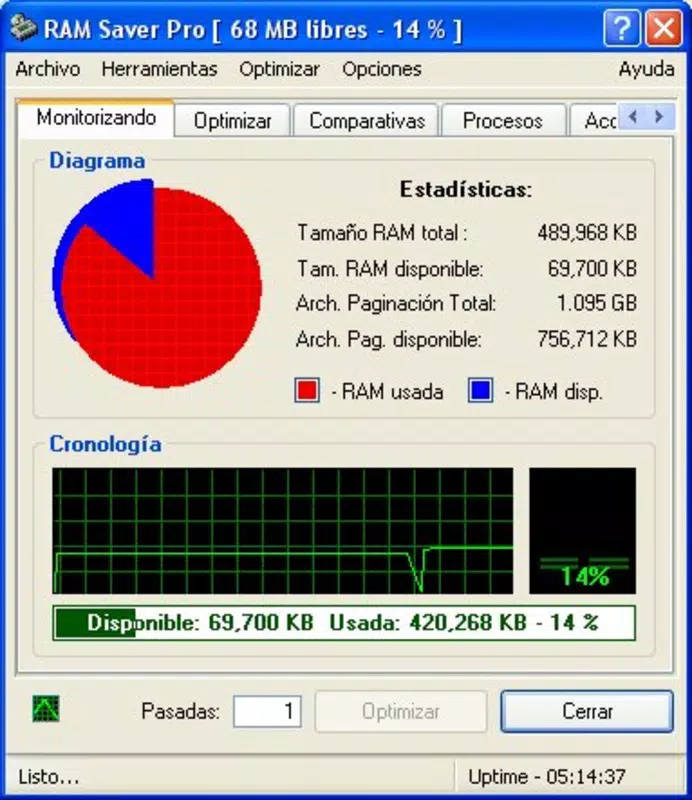
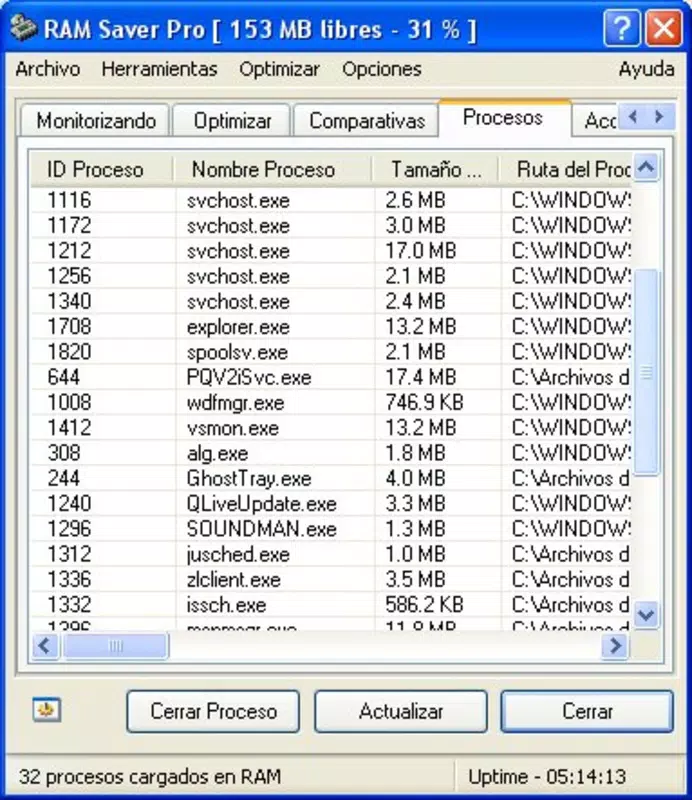
- Real-Time RAM Monitoring: Users can view current memory usage in real time, allowing them to assess system performance dynamically. This feature helps identify memory-intensive processes and evaluate the impact of optimization actions.
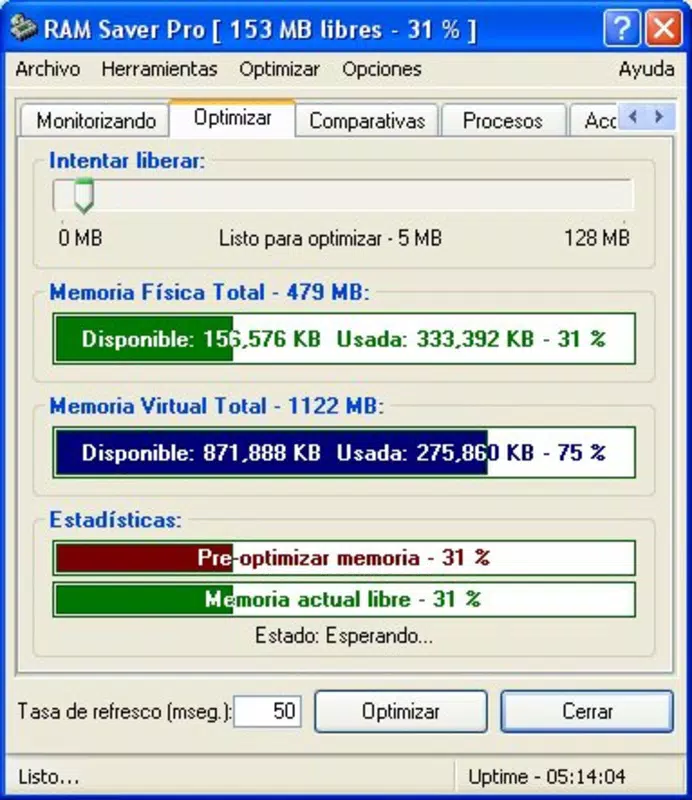
- One-Click Optimization: A single tap on the 'Optimize' button initiates a comprehensive cleaning and reorganization of active memory. This streamlined process reduces manual effort and delivers immediate performance improvements.
- Advanced Settings for Experts: For experienced users, the app provides customizable options beyond basic optimization. These settings allow for tailored memory management strategies, enabling fine-tuned control over system behavior.
- Performance Enhancement: By optimizing RAM usage, the app aims to improve application load times, reduce lag during multitasking, and increase overall system responsiveness. This contributes to a more seamless and efficient user experience.
These features are particularly beneficial during high-demand scenarios such as running multiple apps, streaming content, or using resource-heavy applications. The real-time monitoring allows users to make informed decisions about when to optimize, while the one-click function ensures that even non-technical users can benefit from performance gains.
Interface, UX & Performance
RAM Saver Pro presents a clean, tab-based interface that prioritizes usability across different user skill levels. The visual design emphasizes clarity and functionality, with clearly labeled sections and intuitive navigation paths. Users can easily switch between monitoring, optimization, and settings without confusion.
Navigation is structured to minimize user effort—primary actions like optimization are accessible from the main screen, while advanced options are organized under separate tabs. This design supports both quick access and deeper exploration, catering to a wide range of user needs. The app’s responsiveness is consistent with its lightweight footprint of 10.2 MB, suggesting efficient memory usage and minimal system strain.
Although the developer did not list formal performance metrics, the app’s small size and focused functionality indicate a design optimized for speed and stability. Users can expect smooth operation across a range of Android devices, including mid-tier and entry-level models. The interface remains stable during prolonged use, with no reported issues related to crashes or freezes.
Platform Compatibility & Technical Requirements
RAM Saver Pro is available exclusively on the Android platform. The app is compatible with Android devices running the specified version, though specific OS version requirements were not disclosed by the developer. The file size is 10.2 MB, which reflects a lightweight design suitable for devices with limited storage capacity.
Given the app’s focus on system-level memory management, compatibility with different hardware configurations may vary. However, the absence of detailed requirements suggests that the app is designed to function across a broad range of Android devices. The developer did not specify minimum RAM or processor requirements, indicating a broad target audience.
Pros and Cons
Pros
- Lightweight design with minimal storage footprint
- Intuitive interface suitable for both beginners and advanced users
- Real-time RAM monitoring for performance insight
- One-click optimization for instant performance gains
- Customizable settings for experienced users
Cons
- Specific system requirements were not listed
- Performance claims are not backed by measurable data
- Compatibility with older Android versions is unconfirmed
- Price point may be considered high for a utility tool
- Developer background and support details were not provided
FAQ
Is RAM Saver Pro safe to use on my Android device?
The app is designed to manage memory resources without modifying system files. As long as it is downloaded from official sources, it poses no known security risks.
Can I use RAM Saver Pro on older Android versions?
The developer did not specify compatibility with older Android versions. It is recommended to check the app’s official listing for updated compatibility details.
Does RAM Saver Pro require special permissions?
While the developer did not disclose specific permissions, the app likely requires access to system memory data to function. Users should review the permissions during installation.
How often should I optimize my RAM using this app?
Optimization can be performed as needed, especially when experiencing slowdowns. The real-time monitoring feature helps users determine optimal timing.
Is the app free to download?
RAM Saver Pro is available for a one-time purchase of $2.99. It is not free, but the price reflects its utility and functionality.
Final Thoughts
RAM Saver Pro delivers a focused, efficient solution for Android users aiming to improve their device’s performance through memory optimization. Its clean interface, real-time monitoring, and one-click functionality make it accessible to a wide audience, while advanced settings cater to more experienced users. Despite limited technical details, the app’s lightweight design and clear purpose position it as a valuable tool in the productivity category.
Users who frequently multitask, run demanding apps, or seek a more responsive smartphone experience will benefit most from this utility. For those looking to enhance their Android device’s performance without complexity, RAM Saver Pro offers a practical and straightforward approach.
Download RAM Saver Pro now


